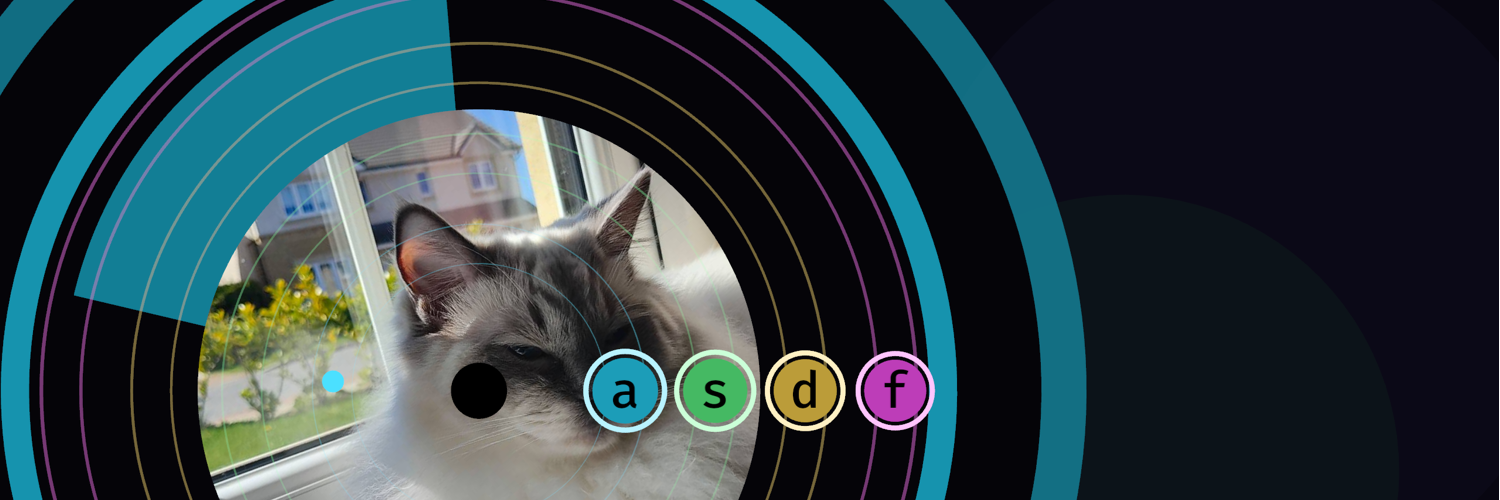
Over the course of a week, I developed and wrote a game called ‘Spin All The Vinyls’ for The Very Serious Juniper Dev Game Jam. I learned so much during this GameJam and honestly the main reason I participated in this one was to hyper focus on learning some game development. This a great way to learn but I think doing this solo was a bit of a bad idea as I couldn’t bounce ideas off people as easily.
The GameJam
The GameJam started on the 19th of June and the theme was announced on Juniper Dev’s YouTube channel as “Spin to Win”.
Right after I watched the video, I started coming up with some ideas… While most were pretty bad, I came up with creating a rhythm game using spinning vinyls as the game play loop.
And that is how the game was born!
Let’s Prepare to be Jammed!
The Game
So the idea is simple.
- Create a spinning deck with a vinyl on it
- Have different lanes for difficultly
- Notes that spin around and a player can hit
- Make some music…
Simple right? Well some of it was 😅 but a bunch of it was quite hard… Let’s get into some details.
Initially I wanted 2 decks for all difficulties but as soon as I implemented it and added the introduction’s “generated beat” I realised this was a little bit too difficult. So this changes from 2 decks to 1 but for “Serious mode”, let’s keep the 2 decks.
Inspiration:
Games are almost always inspired by other games that have come before them and this is no exception. Although the main inspiration was from the vinyl collection my wife has, 2 games popped into my head when thinking about the game.
I’ve played OSU! for years (not lately) and it’s peak rhythm game in my opinion. I played DJ Hero with a deck back around ~2010 and remember it fondly like the other Guitar Hero games.
YouTube Video
Here is a quick overview and gameplay footage of Spin All The Vinyls in action
The Music
My favourite part of the Game Jam was creating the music.
Thankfully, just the week before, my dad had shown me a video by Switch Angel and I loved it. I remember seeing Strudel before somewhere and, thanks to YouTube’s algorithm, I re-watched a video from The PrimeTime on someone using it.
Strudel is a live coding platform for creating music in your browser. It comes as a REPL which you can chain different sounds together to make music. I highly recommend to checkout the Strudel Docs as this was incredibly valuable to just go over the different examples to see how things chain and work together.
At first it seems like quite a steep learning curve as you are dropped into a text editor with nothing but:
$: s("[bd <hh oh>]*2").bank("tr909").dec(.4)
After hours of playing around, I started to really see how someone can create some interesting music. As a Techno, House, Trace kind of person I thought this would be the easiest route for creating musical pieces which turned out to be right.
The first thing I was able to create was the current theme song inside of the game. This was done using just the following:
$: s("triangle*7")
  .gain(0.4)
  .decay(0.2)
  .n(irand(18))
  .struct("x x*2 <x# x> <x x*2> x*3")
  .scale('B minor')
  .room(.6)
  .roomsize(12)
  .pan(rand)
I really liked it and, even though I think it alone isn’t the best song for the main game, I decided to keep it in the game as the theme.
After that, I started learning about creating different layers in a song with a base, using high-hats, claps and everything else Strudel offers. Sitting and tweaking the different options you can chain together is an incredible experience. Although listening to the same beat for hours on end does get a little repetitive.
I will be doing more playing around with Strudel after this Game Jam and maybe uploading some of them to YouTube.
Development
I knew before the GameJam started, I wanted to use the Bevy Game Engine for this project for a few different reasons. The first being that it uses Rust, btw, which I’m quite competant at versus using a game engine I didn’t know at all, like Godot. I had also been playing around with it for a while so I was quite familiar with the ECS system and design patterns to build a game.
The Main Coding Challenges
The biggest challenge I had on the development side was:
- Getting the notes to spin around in a circle
- Getting the key presses and notes to line up
As these 2 things were critical to getting right, I spent quite a bit of time building this out.
The notes had to spawn in the right lane, travel around in a circle (so they looked like they were spinning around), and had to correctly register if hit.
How I got this working was on every game update I queried for all the notes being played along with other metadata I would need; like the active song details, game settings, and deck layout.
The Note is a Bevy Component so it contains data like lane, travel duration, time to hit, etc.
This would then calculate how long left the note had to go from the spawn location to the end location.
I used a float to calculate this as 0.0 being the spawn location and 1.0 being the hit target.
Clamping it to a max of 1.15 was a good idea so that once I got to that point it would stop and not keep on spinning around but by that point it should have been despawned by another system.
Based on the lane and time passed, you can calculate what position the note should be at. This is where I had to give in and look up how to do this using AI as I kind of remembered from Maths classes at school and from watching some YouTube videos, but putting it all together almost broke me.
> Minute 1: "I have to use sine and cosine..."
> Minute 2: "But how? And in which way?"
> Minute 150: weeps into his keyboard
> Minute 200: almost gives up on whole Game Jam
> Minute 300: gives in...
> Minute 305: "Oh... that was suprisingly simple once you know it"
> Minute 306: "Oh no, how do I do it for 2 decks?!?"
For personal future reference, this is how that code roughly works:
pub fn update_note_positions(
    active_song: Res<ActiveSong>,
    layout: Res<DeckLayout>,
    settings: Res<GameSettings>,
    mut notes: Query<(&mut Transform, &mut Note)>,
) {
    for (mut transform, mut note) in &mut notes {
        note.time_until_hit = note.hit_time - active_song.song_length;

        let progress = 1.0 - (note.time_until_hit / note.travel_duration);
        let clamped_progress = progress.clamp(0.0, 1.15);

        let (target_angle, radius) = placeholder_rnr(
            &layout,
            note.deck,
            note.lane,
            settings.difficulty,
        );

        let start_angle = match note.deck {
            DeckSide::Left => target_angle - NOTE_START_BELOW_PLACEHOLDER_RADIANS,
            DeckSide::Right => target_angle + NOTE_START_BELOW_PLACEHOLDER_RADIANS,
        };

        let raw_delta = target_angle - start_angle;
        let signed_delta = match note.deck {
            DeckSide::Left => -(-raw_delta).rem_euclid(std::f32::consts::TAU),
            DeckSide::Right => raw_delta.rem_euclid(std::f32::consts::TAU),
        };

        let angle = start_angle + clamped_progress * signed_delta;
        let center = deck_center(&layout, note.deck, settings.difficulty);

        transform.translation = center + Vec3::new(angle.cos() * radius, angle.sin() * radius, 4.0);
    }
}
The leason learned:
Learn more around geometry before the next Game Jam
The “Good”, “Great”, “Perfect”, and “Missed” checks use the note’s timing to calculate along with the user input if it is a hit or a miss.
One of the results of this was that I could tweak the timing windows to see what worked best for the gameplay.
I have a check_missed_note system that checked if the note has passed its “time to live” and if it did, it spawns a particle effect, red and orange “explosion”, and despaws the Note entity.
I think this might have been a bit of a poor design decision on my part, using the timing windows versus using the position float that was calculated. I did notice on some of the tracks and beatmaps some performance issues and it might be due to some of this poor decision.
Now I truely understand why people write quick and dirty code during these Game Jams!
Anti-cheating system
I didn’t think of this until the 3rd day when I noticed during my play testing of the notes system, I was sitting and spamming the keys to match on everything… This wasn’t great if people can cheese the system.
So I added a simple “anti-cheating” system which prevents people from spamming keys like a mad man to get a high-ish score.
Something else I added on day 5 was a bonus multiplier system based on the combo which would also reset if a key press was done and it was a miss. This helped make it so that a player spamming the keys would never get a combo streak.
Community Crates
I used a few community crates for Bevy which were all great.
- bevy_kira_audio for all my audio needs
- bevy_asset_loader for seamless asset loading
- bevy_hanabi for all the particle effects
- bevy_enhanced_input for a better input system
Honestly, I don’t think I used some of these like bevy_hanabi to their fullest. The effects I was able to create were okay but I couldn’t get some of the effects I wanted but that was due more to skill issues on my part versus the crate.
I would have definitely not known about most of these if I didn’t watch Chris Biscardi’s videos on Bevy and the ecosystem.
Conclusion
I really enjoyed developing this game and I want to participate in future game jams. The fact that the Game Jam was a week long was a good choice versus the shorter ones as I think I would only have the bare bones of a game created by the 3rd game.
I definitely will do Juniper Dev’s next Game Jam if the timing works but I don’t think I’ll be participating in another for a few months as I put in maybe a little too much effort into this jam.